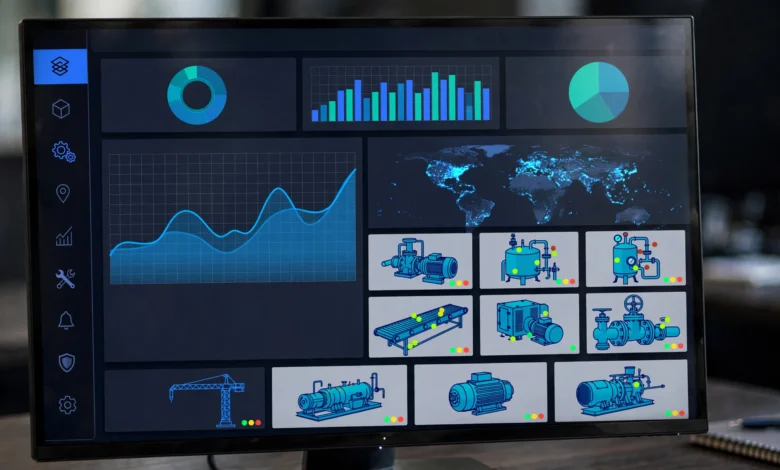
Enterprise asset management software has a reputation for being dull, and it earns that reputation right up until something breaks. A pump fails without warning, an auditor asks for a maintenance record nobody can find, or a regulator wants proof that an inspection actually happened. That is when the quality of your asset data stops being an IT topic and becomes a legal and financial one.
I looked at what the top-ranking guides say right now, and they mostly agree on the basics. They cover lifecycle tracking, work orders, preventive maintenance, mobile access, and reporting. What they rarely cover is the uncomfortable side: what happens when companies keep bad records, hide problems, or treat maintenance data as paperwork. This guide includes that side, with real examples, because it should shape which EAM software you choose and how you run it.
Below you’ll find a plain explanation of what these systems do, a few cases where poor asset records led to criminal convictions, how I built this list, and 15 platforms with honest notes on who each one suits. I have no affiliate relationship with any vendor here, and I did not run hands-on tests of all 15, so treat the list as a research-based shortlist, not a lab result.
What Enterprise Asset Management Software Actually Does
At its core, enterprise asset management software is a system of record for physical things: machines, vehicles, buildings, pipelines, tools, and the spare parts that keep them running. Gartner describes EAM as business applications used mostly by asset-intensive industries to run and track inspections, maintenance, and repair of plant and equipment, and notes it is often bundled into a wider ERP suite.
In practice, a good system covers five jobs:
- Asset registry: one authoritative list of what you own, where it is, and what condition it is in.
- Work order management: requests, assignments, approvals, and completion records.
- Preventive maintenance: scheduled inspections and servicing based on time, meter readings, or usage.
- Inventory and spare parts: knowing what is in the storeroom before a breakdown, not after.
- Reporting and audit trail: proof of what was done, by whom, and when.
EAM vs CMMS: Where the Line Sits
People confuse these two constantly. A CMMS (computerized maintenance management system) focuses on maintenance tasks. EAM covers the wider lifecycle, including procurement, capital planning, depreciation, compliance, and retirement, across many sites. Vendors like Accruent make the same distinction in their own buying guides. If you run one factory with one maintenance team, a CMMS may be enough. If you run many sites, regulated assets, or capital-heavy equipment, you likely need full enterprise asset management software.
Why Enterprise Asset Management Software Matters: Lessons From Real Failures
Most vendor blogs talk about uptime and cost savings. Those are real, but the stronger argument is accountability. Here are two cases where asset records and maintenance practices ended up in a courtroom.

PG&E and the San Bruno Pipeline Explosion
In 2010, a natural gas pipeline exploded in San Bruno, California, and eight people died. The National Transportation Safety Board found that the cause was a defective seam weld on a segment installed in 1956, which PG&E’s own records had listed incorrectly as seamless.
The criminal case that followed was about records and risk management as much as the pipe itself. A federal jury found PG&E guilty of six felony counts: five willful violations of the Pipeline Safety Act and one count of corruptly obstructing the federal investigation. The record-keeping charges alleged the company knew its data on larger pipelines was inaccurate or incomplete and failed to address it. The court imposed a $3 million penalty, the statutory maximum for each count. You can read the U.S. Attorney’s press release on the sentencing for the court’s requirements, including a compliance and ethics program.
The lesson is blunt. A system of record is only as honest as the people entering data into it. Software cannot fix a culture that tolerates known gaps.
Columbia Gas of Massachusetts
The same federal transportation inspector general’s office that handled the PG&E case also lists the prosecution of Columbia Gas of Massachusetts, which pleaded guilty and agreed to pay the largest federal criminal fine imposed under the Pipeline Safety Act at that time. The details differ from San Bruno, but the pattern is familiar: safety-critical infrastructure, inadequate control of engineering and maintenance processes, and serious harm to the public. The DOT Office of Inspector General’s PG&E case page links to related enforcement actions if you want to read further.
Ghost Assets and Quiet Fraud
Not every failure makes headlines. Smaller, slower problems are common in any large organization: equipment that was sold or scrapped but still sits on the books, tools that walk out the door, maintenance logged as done when it was not, and spare parts written off after being sold on the side. These “ghost assets” distort depreciation, insurance, and audit results. I am not citing a single case here because this is a general pattern that internal auditors describe widely, but it is exactly the type of problem that timestamps, user permissions, and photo or barcode verification are meant to catch.
What This Means When You Choose Software
Use these cases as a checklist. Before you sign anything, ask each vendor:
- Can records be edited after the fact, and is every change logged with a user and timestamp?
- Can you export all of your data in a usable format if you leave?
- Does the system support role-based access, so the person approving work is not the person doing it?
- Can technicians attach photos, readings, and signatures from the field?
- How does the system handle regulatory inspections and retention periods?
How I Selected These 15 Platforms
I reviewed the pages currently ranking for this topic, including buying guides from vendors and review aggregators. Common themes across them are lifecycle management from purchase to retirement, mobile-first field work, integration with ERP and other systems, and the difference between EAM, CMMS, and IT asset tools. Several guides also point readers to peer review sites such as Gartner Peer Insights, Capterra, and G2 to check vendor claims against real user feedback. I agree with that advice, and you can start with the Gartner Peer Insights EAM category.
I ranked platforms on five practical points: lifecycle coverage, ease of use for technicians, integration options, scalability across sites, and audit and compliance features. Two cautions apply. First, many of the sources I read are written by vendors who rank themselves well, so I leaned on product scope and category fit rather than any “number one” claim. Second, pricing changes often and is mostly quote-based, so I have not listed figures. Confirm current pricing, features, and branding directly with each vendor, since products get renamed and acquired.
The 15 Best Enterprise Asset Management Software Platforms
1. IBM Maximo Application Suite
Maximo is one of the most widely recognized names in the category. This enterprise asset management software combines EAM with asset performance management, reliability-centered maintenance, and mobile tools. Best for: large, asset-intensive organizations such as utilities and manufacturers. Watch for: a heavy implementation that usually needs experienced administrators and a real project budget.
2. SAP Enterprise Asset Management
If your finance and procurement already run on SAP, this enterprise asset management software option keeps maintenance, purchasing, and accounting in one data model. Best for: SAP-centered enterprises that want tight cost tracking. Watch for: complexity and customization costs, and technician-facing screens that can feel less friendly than newer tools.
3. Infor CloudSuite EAM
Infor’s offering covers asset performance, mobile asset management, maintenance digitization, and safety. Best for: mid-size to large industrial and facility operations. Watch for: confirm current branding and support plans with the vendor, since the product line has changed hands in the market over the years.
4. Oracle Fusion Cloud Maintenance
This is a natural fit for companies already running Oracle ERP. It ties maintenance work into supply chain and financial processes. Best for: Oracle-based enterprises that want a single suite. Watch for: the value drops if you are not already invested in the Oracle ecosystem.
5. IFS Cloud
IFS Cloud combines ERP, EAM, and service management on one platform, aiming to centralize lifecycle and project information. Best for: organizations with field service, projects, and asset maintenance mixed together. Watch for: a broad platform means a long rollout, so scope it in phases.
6. Accruent Maintenance Connection Suite
Accruent packages Maintenance Connection with document control, engineering documents, and IoT monitoring in one connected suite. Best for: multi-site facilities and regulated environments that need document control alongside work orders. Watch for: modules are priced and sold separately, so check what you actually need.
7. MaintainX
A mobile-first tool that has done well in user-satisfaction rankings and appeals to frontline teams. This enterprise asset management software suits teams that value fast adoption over deep ERP integration. Best for: distributed maintenance teams and companies replacing paper checklists. Watch for: very complex capital planning may outgrow it.
8. UpKeep
UpKeep offers work order management, preventive maintenance scheduling, inventory control, and asset tracking, with integrations to enterprise systems. Best for: growing operations that want a lighter alternative to legacy suites. Watch for: test integrations with your ERP before you commit.
9. Fiix
Fiix, now part of Rockwell Automation, is a cloud maintenance platform that fits industrial settings, especially where equipment data comes from automation systems. Best for: manufacturers using Rockwell hardware or wanting connected machine data. Watch for: verify how far its EAM features reach beyond maintenance.
10. Fluke eMaint
A long-established maintenance platform with a reputation for solid preventive maintenance and reporting. Best for: teams that want proven maintenance management without a giant ERP project. Watch for: check how it handles multi-site financial tracking.
11. Limble CMMS
Limble is known for an easy interface that technicians pick up quickly. It sits closer to CMMS territory but scales to many sites. Best for: teams that struggle with user adoption. Watch for: true enterprise-wide lifecycle governance may need additional tools.
12. Asset Panda
This platform is described as strong for mobile-first physical asset tracking across equipment, facilities, and field teams. It is a good match for tracking and accountability, which ties directly to the ghost asset problem. Best for: organizations that mainly need to know what they own and who has it. Watch for: less depth in maintenance planning than dedicated maintenance suites.
13. ServiceNow Asset Management
Best for organizations already using ServiceNow for IT service management who want asset data tied to tickets, changes, and incidents. The same idea shows up in Salesforce’s pitch of joining asset data with service operations. Best for: IT-heavy enterprises. Watch for: less suited to heavy industrial maintenance on its own.
14. TMA Systems
TMA focuses on maintenance and asset management for facilities and complex, high-value operations, and its own guide leans on Gartner Peer Insights reviews. Best for: education, healthcare, and government facilities teams. Watch for: it is a vendor guide, so cross-check its claims with independent reviews.
15. Cloudaware
Cloudaware is described as strong for hybrid multi-cloud IT asset visibility, with configuration data that supports compliance and cost governance. Best for: IT teams tracking cloud and on-premise assets together. Watch for: it is not a plant maintenance tool, so pair it with an EAM if you also run physical equipment.
How to Choose the Right Enterprise Asset Management Software
The best enterprise asset management software is the one your technicians will actually use and your leaders can trust. A quick way to decide:
- Start with your assets. Pipelines, production lines, and vehicle fleets need different depth than office equipment.
- Match your stack. If you run SAP, Oracle, or ServiceNow, native integration often saves more money than extra features.
- Test with technicians. Run a pilot with the people who will do the work, on real work orders.
- Plan for data cleanup. Migrating bad records into a new system just gives you bad records with a nicer interface.
- Insist on audit features. Change logs, permissions, and export rights matter more than dashboards.
Common Implementation Mistakes
Teams often buy on features and ignore process. They skip data cleanup, they let one manager control every approval, and they forget training for night-shift technicians. Fix these before go-live. Good asset lifecycle management starts with honest baseline data, and no vendor can supply that for you.
Standards Worth Knowing
If you want a framework beyond vendor marketing, look at the ISO 55000 series. It provides the overview, principles, and terminology for asset management, while ISO 55001 sets requirements for an asset management system and ISO 55002 gives guidance on applying it. The ISO 55000:2024 standard page explains the scope. Your enterprise asset management software should support these practices, not replace them.
Conclusion
Choosing enterprise asset management software comes down to fit, honesty, and discipline: pick a platform that matches your assets, integrates with the systems you already run, and gives technicians a tool they will actually use, then back it with clean data, access controls, and audit trails. The 15 options above range from heavyweight suites like Maximo, SAP, and IFS to mobile-first tools like MaintainX, UpKeep, and Asset Panda, and each has real trade-offs worth testing in a pilot. The cases of PG&E and Columbia Gas show that bad records and buried problems can end in criminal convictions and, worse, loss of life, so treat the software as a record keeper that only works when the people using it are truthful. Verify pricing and features with vendors, check independent reviews, and start with a small, honest dataset.