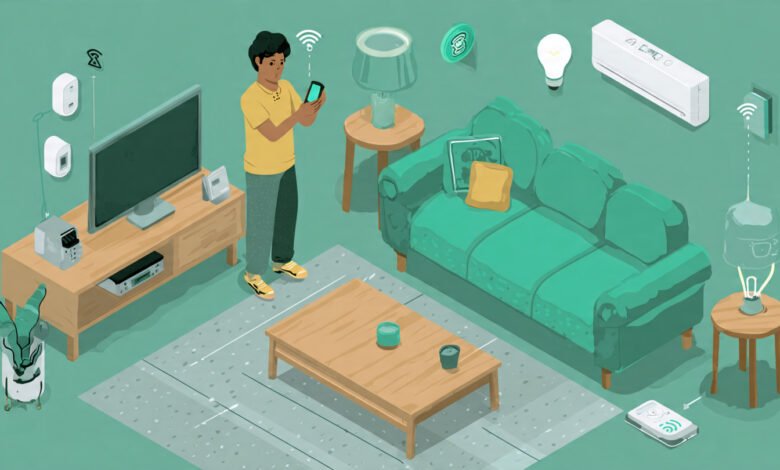
You don’t need to spend thousands of dollars to make your home smarter. The smart home market has exploded over the past few years, and 2026 brings more affordable options than ever before. Whether you’re looking to control your lights with your voice, monitor your home security remotely, or automate your daily routines, you can build a functional smart home without breaking the bank.
The key is knowing where to start and which devices actually deliver value. Too many people rush into buying every gadget they see, only to realize half of them sit unused or don’t work well together. I’ve seen friends spend $2,000 on equipment that could have been done for $400 with smarter choices.
This guide walks you through building a budget smart home from scratch. You’ll learn which devices to prioritize, how to avoid compatibility headaches, and where to find the best deals. We’ll cover everything from choosing the right smart home ecosystem to automating your space without hiring an electrician. By the end, you’ll have a clear roadmap for creating a connected home that actually improves your daily life while keeping your wallet happy. Let’s start with the foundation of any smart home setup.
Understanding Smart Home Basics Before You Buy
Before you spend a single dollar, you need to understand how smart home devices work together. This knowledge will save you money and frustration down the road.
What Makes a Device “Smart”?
A smart device connects to your home’s Wi-Fi network and can be controlled remotely through an app or voice commands. Unlike traditional electronics, these devices can communicate with each other, learn your preferences, and be automated to work without your input.
The three main ways to control smart devices are:
- Smartphone apps – Control individual devices or groups from anywhere
- Voice assistants – Use Amazon Alexa, Google Assistant, or Apple Siri for hands-free control
- Automation routines – Set up triggers so devices work automatically based on time, location, or other device actions
Choosing Your Smart Home Platform
This is the most important decision you’ll make. Your smart home platform determines which devices you can buy and how they’ll work together.

Amazon Alexa is the most budget-friendly option with the widest device compatibility. Echo Dot speakers start around $25, and thousands of affordable devices work with Alexa. If you’re on a tight budget, this is your best bet.
Google Home offers better voice recognition and integrates seamlessly with Google services like Calendar and Photos. Google Nest Mini speakers are similarly priced to Echo devices.
Apple HomeKit provides the strongest privacy and security but typically costs more. You’ll need an iPhone or iPad to set things up, and compatible devices often carry a price premium.
For budget shoppers, I recommend starting with Amazon Alexa or Google Home. You can always add compatibility with other platforms later through devices that support multiple ecosystems.
Setting a Realistic Smart Home Budget
Let’s talk numbers. You can start with as little as $150 or go up to $500 for a comprehensive setup. Here’s how to think about your budget.
Budget Tiers for 2026
Starter Budget ($150-$250): Gets you a voice assistant, smart lighting in key rooms, and one smart plug. This is enough to experience the convenience without major commitment.
Mid-Range Budget ($300-$400): Adds smart home security with a video doorbell or indoor camera, plus expanded lighting control and additional smart plugs for appliances.
Comprehensive Budget ($450-$500): Includes everything above plus a smart thermostat (if compatible with your HVAC system) and smart locks or sensors.
The beauty of smart home automation is that you can build gradually. Start with the essentials and add devices as sales pop up or your budget allows.
Where to Find the Best Deals
Timing your purchases can save you 30-50% off retail prices. According to Consumer Reports’ guide to smart home devices, Black Friday, Cyber Monday, and Amazon Prime Day consistently offer the deepest discounts on smart home equipment.
Other money-saving strategies include:
- Buying previous-generation models when new versions launch
- Checking retailer open-box or refurbished sections
- Using manufacturer trade-in programs
- Looking for bundle deals that package multiple devices together
Essential Smart Home Devices to Start With
Not all smart devices are created equal. Some genuinely improve your daily life, while others are novelties that lose their appeal quickly. Here’s what to prioritize.
Smart Speaker or Display (Your Control Hub)
This is your foundation. A smart speaker acts as the brain of your setup, controlling other devices and responding to voice commands.
Best Budget Options for 2026:
- Amazon Echo Dot (5th Gen) – Usually $25-$30 on sale, improved sound quality, works as a temperature sensor
- Google Nest Mini – Similar price point, better for Android users and Google service integration
- Echo Show 5 – Around $40-$50 on sale, adds a screen for visual feedback and video calls
Start with one speaker in your most-used room (usually the living room or kitchen). You can always add more devices to other rooms later for whole-home voice control.
Smart Lighting
Smart bulbs deliver the most noticeable daily impact for the lowest cost. Coming home to lights that turn on automatically or dimming lights with your voice feels genuinely futuristic.
Budget-Friendly Lighting Options:
- Wyze Bulbs – $8-$10 per color bulb, no hub required, works with Alexa and Google
- Govee LED Strip Lights – $15-$25, perfect for accent lighting behind TVs or under cabinets
- Smart switches instead of bulbs – If you have multiple bulbs on one switch, a $20-$30 smart switch controls them all
Start with 3-4 bulbs in your main living spaces. Focus on rooms where you spend the most time or where lighting changes throughout the day matter most.
Smart Plugs
These under-$15 devices turn any regular appliance into a smart one. Smart plugs are the most cost-effective way to expand your smart home quickly.
Practical Uses:
- Control lamps and fans with voice commands
- Schedule coffee makers to start brewing before you wake up
- Turn off devices remotely when you forget (curling irons, space heaters)
- Monitor energy usage of plugged-in devices
Buy 2-3 smart plugs initially. The 4-pack deals often drop the per-unit cost to $8-$10 each.
Smart Home Security Basics
Home security is where smart technology really shines. You can monitor your property from anywhere without expensive monthly subscriptions.
Affordable Security Options:
- Wyze Cam v3 – Around $20-$25, includes night vision and two-way audio, optional cloud storage
- Ring Video Doorbell (Wired) – About $50-$60, see who’s at your door from anywhere
- Blink Mini cameras – $20-$30 each, battery-powered options for wire-free installation
Start with either an outdoor camera or video doorbell, then add indoor cameras if needed. Many budget cameras now include person detection and activity zones without requiring subscriptions.
Advanced Budget-Friendly Additions
Once you’ve covered the basics, these devices add significant functionality without major expense.
Smart Thermostats (If Compatible)
A smart thermostat can reduce heating and cooling costs by 10-15% annually. However, compatibility matters more than price here.
Budget Options:
- Google Nest Thermostat – Around $100-$130, learns your schedule automatically
- Amazon Smart Thermostat – $60-$80, basic functionality works great for most homes
- Wyze Thermostat – $50-$70, requires a C-wire but offers excellent value
Check your HVAC system compatibility before buying. Some older systems need a C-wire adapter (around $20-$30 extra) to power smart thermostats.
Smart Locks and Sensors
Door sensors and smart locks add convenience and security. Look for options that work with your existing deadbolts to save money.
Affordable Choices:
- Wyze Lock – Around $70-$90, fits over your existing deadbolt
- Window/door sensors – $15-$20 for 2-packs, get alerts when doors open
- Motion sensors – $20-$30, trigger lights or routines when you enter rooms
These devices are optional for starter setups but become valuable as you build more complex automations.
Setting Up Your Smart Home Step by Step
Now that you know what to buy, here’s how to actually set everything up without technical headaches.
Step 1: Set Up Your Hub Device
Unbox your smart speaker and download its companion app (Alexa app for Echo devices, Google Home app for Nest devices). Follow the in-app setup to connect it to your Wi-Fi network.
Pro tip: Use a strong, easy-to-remember Wi-Fi password. You’ll be entering it many times as you add devices.
Step 2: Install Smart Bulbs and Plugs
Screw in smart bulbs where you want them, then use their respective apps to connect them to Wi-Fi. Most budget smart bulbs work directly with Wi-Fi and don’t need separate hubs.
For smart plugs, plug them into outlets, then add them through their apps. Once connected, link these devices to your voice assistant so you can control everything in one place.
Step 3: Create Device Groups and Routines
Group devices by room in your voice assistant app. This lets you say “turn off the living room” instead of naming each device individually.
Create simple routines like:
- “Good morning” turns on bedroom lights, starts coffee maker, and reads your schedule
- “Goodnight” turns off all lights, locks smart locks, and sets security cameras to alert mode
- “Leaving home” automatically adjusts thermostats and turns off unnecessary devices
Step 4: Set Up Security Devices
Mount cameras where they have clear views of entry points. For video doorbells, you might need to replace your existing wired doorbell, but many budget options simply attach over your current setup.
Configure motion detection zones to reduce false alerts from passing cars or trees. Most apps let you draw specific areas to monitor.
Avoiding Common Smart Home Mistakes
Learn from others’ expensive mistakes. Here are the pitfalls budget shoppers should watch out for.
Don’t Mix Too Many Ecosystems
Buying devices from 10 different brands might seem like you’re getting the best individual deals, but you’ll end up with 10 different apps and no central control. Stick with devices that work with your chosen smart home ecosystem (Alexa, Google, or HomeKit).
Skip the Subscription Traps
Many security cameras push cloud storage subscriptions. While convenient, these add up to $50-$200 per year. Look for cameras with local storage options using microSD cards instead.
Understand Your Wi-Fi Limits
Most home routers handle 20-30 connected devices comfortably. If you have an older router and plan to add many smart devices, you might need a router upgrade (around $50-$100 for a budget-friendly mesh system).
Don’t Forget About Smart Home Privacy
Budget devices sometimes have weaker security. Always change default passwords, enable two-factor authentication on apps, and regularly update device firmware. According to TechRadar’s smart home security guide, keeping devices updated is your best defense against vulnerabilities.
Making Your Smart Home Smarter Over Time
Once your basic setup runs smoothly, these upgrades add polish without adding much cost.
Voice Commands and Custom Routines
Spend time learning your voice assistant’s capabilities. Most people only scratch the surface of what Alexa or Google Assistant can do.
Create location-based routines that trigger when your phone arrives home or leaves. Set up routines that chain multiple actions together with a single command.
Expand Room by Room
Don’t rush to automate your entire house at once. Perfect one room’s automation before moving to the next. This approach helps you learn what actually adds value versus what’s just cool the first time.
Add smart devices to guest rooms last, since they’re used infrequently. Prioritize spaces where you spend the most time or where automation saves the most effort.
Integration with Non-Smart Devices
You can control many “dumb” devices with smart plugs. Fans, coffee makers, decorative lights, and other simple electronics work great with this approach. Just make sure the device stays “on” at its physical switch so the smart plug can control power.
Conclusion
Building a smart home on a budget in 2026 is more accessible than ever, with capable devices starting around $10 and comprehensive setups possible for under $500. Start with a voice assistant hub, add smart lighting and plugs for immediate convenience, then expand to security cameras and other devices as your budget allows. Choose one primary ecosystem (Alexa or Google Home for budget builds), buy during major sales events, and focus on devices that solve real problems in your daily routine rather than chasing novelty. By taking a gradual, strategic approach and avoiding subscription traps and compatibility issues, you can create a genuinely useful automated home that pays for itself through energy savings and added security. The key is starting small, learning what works for your lifestyle, and expanding thoughtfully from there.