How to Protect Your Online Identity in 2026
Protect your online identity in 2026 with proven strategies. Learn password management, two-factor authentication, privacy tools, and how to stay safe from cyber threats.
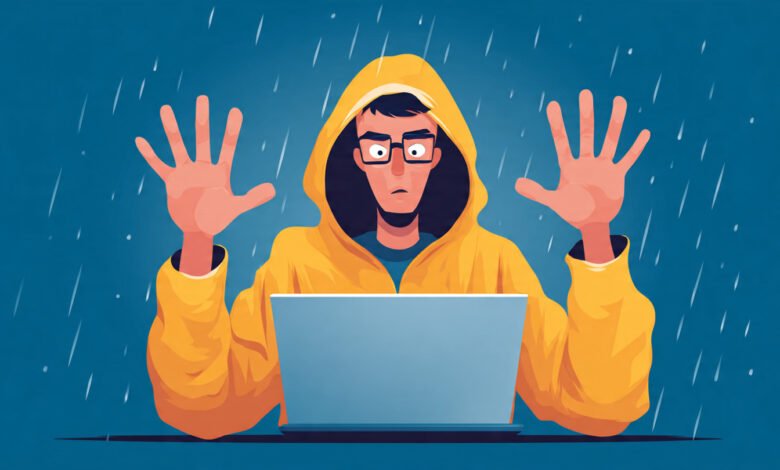
Your online identity is under constant attack. Every day, hackers scan the internet for weak spots in your digital defenses. They’re looking for exposed passwords, unprotected accounts, and careless mistakes that give them access to your personal information. And the scary part? Most people don’t realize they’re vulnerable until it’s too late.
The digital landscape has changed dramatically over the past few years. We’re not just talking about email and social media anymore. Your online identity now includes your banking apps, health records, shopping accounts, work credentials, and even your smart home devices. Each one of these touchpoints represents a potential entry point for cybercriminals who want to steal your identity, drain your accounts, or hold your data for ransom.
But here’s the good news: protecting yourself doesn’t require a computer science degree or expensive software. What you need is a solid understanding of the threats you face and a practical game plan to defend against them. In 2026, the tools and techniques for identity protection are more accessible than ever. You just need to know which ones actually work and how to use them properly.
This guide will walk you through everything you need to safeguard your digital life. We’re going to cover the fundamentals that everyone should implement today, plus advanced strategies for people who want extra protection. Whether you’re worried about data breaches, phishing scams, or social engineering attacks, you’ll find actionable steps you can take right now to lock down your online presence.
Understanding the Current Threat Landscape
Before you can protect yourself, you need to understand what you’re up against. The tactics that cybercriminals use in 2026 are sophisticated, but they’re also predictable once you know what to look for.
Common Types of Identity Theft
Identity theft comes in many forms, and each type targets different aspects of your digital life:
- Financial identity theft: Criminals use your personal information to open credit cards, take out loans, or make unauthorized purchases
- Medical identity theft: Someone uses your health insurance to get medical care, leaving you with the bills and incorrect medical records
- Criminal identity theft: A thief uses your name during an arrest, creating a criminal record under your identity
- Synthetic identity theft: Fraudsters combine your real information with fake details to create a new identity
The most common entry point for these attacks is still the data breach. Companies get hacked, customer databases get stolen, and suddenly your email address, password, and personal details are floating around on the dark web. According to recent reports, billions of records have been compromised in data breaches over the past few years, and that number keeps growing.


How Attackers Access Your Information
Hackers don’t need to be technical geniuses to steal your identity. They use straightforward methods that work because people aren’t paying attention:
- Phishing emails that trick you into clicking malicious links or downloading infected files
- Password reuse across multiple accounts, so one breach gives them access everywhere
- Social engineering where they manipulate you into revealing sensitive information
- Public Wi-Fi networks that aren’t secured, letting them intercept your data
- Outdated software with known vulnerabilities that haven’t been patched
The key takeaway here is that most attacks succeed because of human error, not because of sophisticated hacking. That’s actually encouraging because it means you have more control over your security than you might think.
Building a Strong Password Foundation
Let’s start with the basics. Your passwords are the first line of defense for your online identity, and most people get this completely wrong.
Why Weak Passwords Are Your Biggest Vulnerability
Think about the passwords you use every day. If any of them are things like “password123,” your pet’s name, or your birthday, you’re making it incredibly easy for hackers. These simple passwords can be cracked in seconds using automated tools that try thousands of combinations per minute.
Even worse is password reuse. If you use the same password across multiple sites, one data breach gives attackers the keys to your entire digital life. They’ll take those leaked credentials and try them on every major website until something works.
Creating Unbreakable Passwords
Here’s what actually works for password security:
- Use passwords that are at least 12 characters long, preferably 16 or more
- Mix uppercase and lowercase letters, numbers, and special characters
- Avoid dictionary words, personal information, and predictable patterns
- Create unique passwords for every single account
- Use a password manager to generate and store complex passwords
I know what you’re thinking: there’s no way anyone can remember dozens of unique, complex passwords. You’re absolutely right. That’s why password managers exist, and they’re not optional anymore. They’re essential.
Implementing a Password Manager
A good password manager does the heavy lifting for you. It generates random, secure passwords for each account, stores them in an encrypted vault, and automatically fills them in when you need them. You only need to remember one master password to access everything else.
Popular options include Bitwarden, 1Password, Dashlane, and LastPass. Most of them work across all your devices and browsers, making the transition seamless. Some password managers even alert you when one of your accounts appears in a data breach so you can change that password immediately.
Enabling Multi-Factor Authentication Everywhere
Passwords alone aren’t enough anymore. Even if you have strong, unique passwords, they can still be stolen through phishing or data breaches. That’s where two-factor authentication (2FA) or multi-factor authentication (MFA) comes in.
How Multi-Factor Authentication Works
MFA adds an extra layer of security by requiring two or more pieces of evidence to prove your identity:
- Something you know (your password)
- Something you have (your phone or a security key)
- Something you are (your fingerprint or face)
When you enable MFA, logging in requires both your password and a second factor. Even if a hacker steals your password, they can’t access your account without that second piece of the puzzle.
Choosing the Right Authentication Method
Not all forms of 2FA are created equal. Here’s how they stack up:
SMS text messages: Better than nothing, but vulnerable to SIM-swapping attacks where criminals convince your phone carrier to transfer your number to their device. Use this only if better options aren’t available.
Authenticator apps: Much more secure. Apps like Google Authenticator, Authy, or Microsoft Authenticator generate time-based codes that change every 30 seconds. These codes can’t be intercepted because they’re generated locally on your device.
Hardware security keys: The gold standard for MFA. Physical devices like YubiKey or Google Titan plug into your computer or phone and provide the strongest protection against phishing and account takeovers. They’re particularly important for your most sensitive accounts like email and banking.
Enable MFA on every account that offers it, starting with your email, banking, social media, and work accounts. These are the high-value targets that would cause the most damage if compromised.
Securing Your Email Account
Your email is the master key to your digital life. It’s where password reset links arrive, where important notifications land, and often how you prove your identity to other services. If someone gains access to your email, they can effectively take over your entire online identity.
Email Security Best Practices
Protecting your email requires a multi-layered approach:
- Enable the strongest form of MFA available (preferably a hardware key)
- Use a strong, unique password that’s stored in your password manager
- Review your account recovery options regularly to ensure they’re secure
- Check your connected apps and revoke access to services you no longer use
- Enable alerts for suspicious login attempts or unusual activity
You should also be extremely cautious about what you click in emails. Phishing attacks have become incredibly sophisticated, with fake emails that look identical to legitimate messages from banks, retailers, or even your employer. Always verify the sender’s email address carefully, hover over links before clicking to see where they actually lead, and when in doubt, go directly to the website instead of clicking email links.
Protecting Your Personal Information Online
Every piece of personal information you share online is a potential weapon that can be used against you. Cybercriminals use social engineering tactics to piece together your identity from seemingly harmless details scattered across the internet.
Limiting Your Digital Footprint
Think carefully about what you post on social media and other public platforms:
- Avoid sharing your full birthdate, address, phone number, or other identifying details
- Don’t post about being away from home or your travel plans in real-time
- Review your privacy settings on all social platforms and restrict who can see your posts
- Google yourself regularly to see what information is publicly available about you
- Use privacy-focused search engines like DuckDuckGo that don’t track your searches
Managing Your Data with Companies
You have more control over your personal data than you might realize. Many jurisdictions now have privacy laws that give you rights over how companies collect and use your information:
- Request copies of the data companies have collected about you
- Ask companies to delete your data when you stop using their services
- Opt out of data sharing and targeted advertising whenever possible
- Read privacy policies (or at least skim them) before agreeing to terms of service
- Use privacy tools like browser extensions that block trackers and third-party cookies
Using Secure Browsing Practices
The way you browse the internet has a huge impact on your online privacy and security. Every website you visit, every link you click, and every form you fill out potentially exposes your information.
Browser Security Settings
Start by configuring your browser properly:
- Enable automatic updates so you always have the latest security patches
- Use privacy-focused browsers like Firefox or Brave, or at least configure Chrome/Safari with privacy extensions
- Clear your cookies and browsing history regularly
- Enable “Do Not Track” requests in your browser settings
- Disable third-party cookies to prevent advertisers from tracking you across sites
VPN Protection
A virtual private network (VPN) encrypts your internet traffic and masks your IP address, making it much harder for anyone to track your online activity or intercept your data. VPNs are particularly important when you’re using public Wi-Fi at coffee shops, airports, or hotels.
Choose a reputable VPN provider with a strict no-logs policy, strong encryption, and servers in multiple countries. Avoid free VPNs, which often monetize by collecting and selling your browsing data, defeating the entire purpose.
Monitoring Your Financial Accounts and Credit
Even with strong preventive measures, breaches can still happen. That’s why active monitoring is critical for catching identity theft early before it causes serious damage.
Regular Account Reviews
Make it a habit to review your financial statements and account activity:
- Check your bank and credit card transactions weekly for unauthorized charges
- Set up transaction alerts so you’re notified immediately of suspicious activity
- Review your credit card statements line by line each month
- Keep an eye on your investment and retirement accounts for unusual changes
- Monitor your health insurance statements for services you didn’t receive
Credit Monitoring and Freezes
Your credit report contains a detailed history of your financial life, and it’s one of the first places identity thieves strike when opening fraudulent accounts in your name.
Pull your free credit reports annually from all three major bureaus (Equifax, Experian, and TransUnion) to check for accounts you didn’t open or inquiries you didn’t authorize. Many credit card companies and banks now offer free credit monitoring services that alert you to changes in your credit report.
For maximum protection, consider placing a credit freeze on your reports. This prevents anyone, including you, from opening new credit accounts until you temporarily lift the freeze. It’s free, doesn’t affect your credit score, and is the single most effective way to prevent new account fraud.
Securing Your Mobile Devices
Your smartphone knows everything about you. It tracks your location, stores your messages, holds your photos, and provides access to your most sensitive accounts. If someone gains access to your phone, they gain access to your entire life.
Mobile Security Essentials
Lock down your devices with these fundamental protections:
- Use a strong PIN, password, or biometric authentication (fingerprint or face recognition)
- Enable automatic screen locking after a short period of inactivity
- Keep your operating system and apps updated with the latest security patches
- Only download apps from official app stores
- Review app permissions and revoke access to features apps don’t need (like location or contacts)
- Enable remote tracking and wiping features in case your device is lost or stolen
Mobile-Specific Threats
Be aware of threats that specifically target mobile users:
- Fake apps that impersonate legitimate services to steal your credentials
- Malicious QR codes that direct you to phishing sites or trigger malware downloads
- Juice jacking attacks at public charging stations that can install malware through USB connections
- Text message scams (smishing) that trick you into revealing sensitive information
Recognizing and Avoiding Scams
The most sophisticated security systems in the world can’t protect you if you’re tricked into handing over your information willingly. Scammers are constantly evolving their tactics to exploit human psychology rather than technical vulnerabilities.
Common Scam Tactics
Stay alert for these red flags:
- Urgent messages claiming your account will be closed or your money is at risk
- Requests for personal information or passwords via email, text, or phone
- Too-good-to-be-true offers for products, services, or investment opportunities
- Messages from “friends” or “colleagues” asking for money or gift cards
- Links or attachments in unexpected emails, even if they appear to come from legitimate companies
Verifying Authenticity
When you receive a suspicious message, don’t click any links or respond directly. Instead:
- Look up the company’s official phone number or website independently
- Contact them directly through verified channels to confirm if the message is legitimate
- Report phishing attempts to the appropriate authorities
- Warn your friends and family about new scams you encounter
Creating a Recovery Plan
Despite your best efforts, incidents can still happen. Having a clear incident response plan helps you act quickly to minimize damage.
Essential Documentation
Keep secure records of important information you’ll need if something goes wrong:
- A list of all your financial accounts and customer service numbers
- Your credit card companies’ fraud departments’ contact information
- Documentation of your identity (passport, driver’s license, Social Security card) stored securely
- Screenshots or records of your privacy settings on major platforms
- Contact information for the three credit bureaus
Steps to Take After a Breach
If you discover that your identity has been compromised:
- Change passwords immediately on affected accounts
- Enable or reset multi-factor authentication
- Contact your bank and credit card companies to alert them of potential fraud
- Place a fraud alert or credit freeze on your credit reports
- File a report with the Federal Trade Commission at IdentityTheft.gov
- File a police report if you’ve experienced significant financial losses
- Monitor your accounts closely for several months afterward
Conclusion
Protecting your online identity in 2026 isn’t about being paranoid or making your digital life impossibly complicated. It’s about being smart with basic security practices that anyone can implement. Start with strong, unique passwords stored in a password manager, enable two-factor authentication on your important accounts, and stay alert for phishing attempts and scams. Secure your mobile devices, use a VPN on public networks, and monitor your financial accounts and credit reports regularly. The threats are real and constantly evolving, but with these practical steps, you can dramatically reduce your risk of becoming a victim of identity theft. Your digital life is worth protecting, and the time to start is right now.