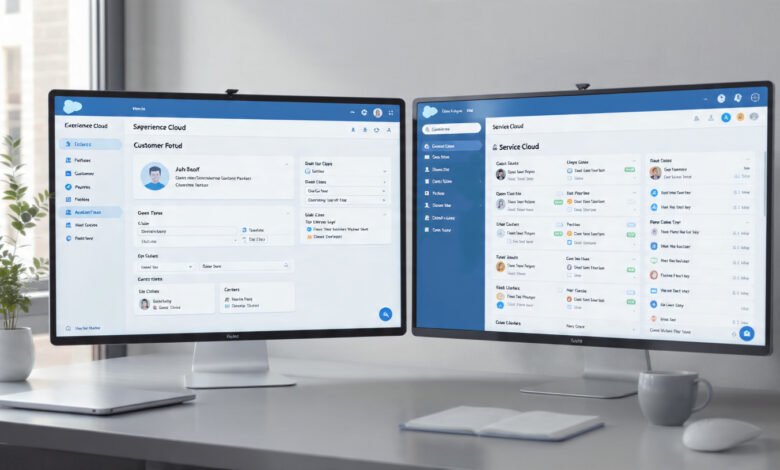
Compare Salesforce Experience Cloud and Service Cloud is a question that comes up constantly in Salesforce planning conversations, and honestly, it is easy to see why. Both platforms live under the Salesforce umbrella, both deal with customers, and both are marketed with enough overlapping language that even experienced admins sometimes get them mixed up.
But here is the thing — they solve very different problems. Salesforce Experience Cloud is built around creating connected digital spaces: customer portals, partner networks, help centers, and community hubs. Salesforce Service Cloud, on the other hand, is laser-focused on the people answering your phones and emails — your support agents — and giving them the tools they need to resolve issues faster.
Choosing the wrong one can mean spending thousands of dollars on a platform that does not quite do what your team needs. Choosing the right one, or figuring out that you actually need both, can transform how you serve customers, reduce your support costs, and make your team noticeably more productive.
This article breaks everything down clearly — what each platform does, where they overlap, how they differ in pricing and use cases, and which one makes the most sense depending on what your organization is actually trying to accomplish. Whether you are a Salesforce admin, a CTO, or a business owner evaluating platforms for the first time, this guide is written for you.
What is Salesforce Experience Cloud?
Salesforce Experience Cloud (formerly known as Community Cloud) is a digital experience platform that lets businesses build branded online spaces for their customers, partners, and employees. Think self-service portals, help centers, partner communities, knowledge bases, and even full websites — all connected directly to your Salesforce CRM data.
The platform was rebranded from Community Cloud to Experience Cloud in 2021, which was a deliberate signal from Salesforce that this tool had grown beyond just “community forums.” Today, you can use it to build:
- Customer self-service portals where users can log cases, track tickets, and browse knowledge articles
- Partner portals that give resellers or distributors access to your pipeline, leads, and shared resources
- Employee hubs for internal collaboration, HR resources, or company-wide communications
- Help centers and knowledge bases that deflect tickets before they even reach your support team
Experience Cloud uses a drag-and-drop builder called Lightning Web Runtime (LWR) that makes it relatively straightforward to stand up a polished branded portal. It pulls data directly from your Salesforce org, so everything stays in sync without needing custom integrations.


Key Features of Experience Cloud
- Pre-built templates for customer portals, help centers, and partner communities
- Branding and personalization tools to match your company’s visual identity
- Salesforce CMS integration for managing and publishing content
- Member management with role-based access and permission sets
- AI-powered search through Salesforce Einstein to surface relevant knowledge articles
- Mobile-responsive layouts out of the box
- Integration with Salesforce Flow for automated processes within the portal
What Is Salesforce Service Cloud?
Salesforce Service Cloud is a customer service management platform built for support teams. Its entire design is oriented around helping agents handle customer interactions faster, smarter, and across more channels. It is one of Salesforce’s flagship products and is consistently rated among the top customer support platforms in the industry.
Where Experience Cloud puts the customer in the driver’s seat through self-service, Service Cloud equips your agents with everything they need on the back end. It gives you a unified agent console — called the Lightning Service Console — where reps can see the full customer history, manage open cases, and communicate across multiple channels without flipping between tabs.
Key Features of Service Cloud
- Omnichannel routing that automatically directs incoming cases to the right agent based on skill, availability, or priority
- Case management tools to create, assign, escalate, and close support tickets
- Knowledge management so agents can pull up relevant articles directly while working a case
- Einstein Bots and AI-powered suggestions that help agents resolve cases faster
- CTI (Computer Telephony Integration) for handling phone-based support within the platform
- SLA management through Entitlements and Milestones
- Live chat, messaging, and email support baked in
- Field Service Lightning integration for teams that send technicians on-site
- Detailed reporting and dashboards to track agent performance and customer satisfaction
Service Cloud also includes a feature called Service Cloud Voice, which brings telephony directly into the agent console — meaning your reps can handle calls, read transcripts in real time, and get AI-suggested responses all in one screen.
Compare Salesforce Experience Cloud and Service Cloud: Core Differences
Now that we have covered each platform individually, it is time to do a proper side-by-side. Here is how they stack up across the things that actually matter when making a decision.
1. Primary Purpose and Use Case
| Experience Cloud | Service Cloud | |
|---|---|---|
| Built for | Customers, partners, employees | Support agents and service teams |
| Core function | Self-service portals and community spaces | Case management and omnichannel support |
| User-facing or internal | Primarily external/user-facing | Primarily internal/agent-facing |
Experience Cloud is a front-end platform. It is what your customers or partners actually log into and interact with. Service Cloud is a back-end powerhouse. It is what your agents use to do their jobs efficiently.
This distinction matters enormously when deciding which one to invest in first.
2. Target Users Within Your Organization
Experience Cloud is typically championed by:
- Marketing teams building customer-facing portals
- Partner managers running channel programs
- IT teams looking to create employee intranets
- Customer success teams wanting to offer self-service resources
Service Cloud is built for:
- Customer support managers and agents
- Contact center operations teams
- Field service coordinators
- IT helpdesk teams handling internal tickets
If your primary pain point is “our agents are overwhelmed and lack visibility,” Service Cloud is likely your answer. If the issue is “our customers have nowhere to go for self-service and our partner network is disorganized,” Experience Cloud deserves a serious look.
3. Self-Service Capabilities
Both platforms touch on self-service, but from entirely different angles.
With Experience Cloud, self-service is the main event. You build a branded portal where customers can log their own cases, search a knowledge base, post in community forums, and track the status of their tickets — all without talking to a human. Done well, this significantly reduces your inbound support volume.
With Service Cloud, self-service features exist but are supplementary. The Service Cloud customer portal option gives customers a basic interface to submit and check on cases, but it is not nearly as customizable or feature-rich as a dedicated Experience Cloud site. Many organizations actually use both: Experience Cloud for the customer-facing portal and Service Cloud for the agent console that sits behind it.
4. Case Management
Service Cloud wins on case management, and it is not particularly close. It is where the platform truly earns its reputation. Features like case queues, auto-assignment rules, escalation workflows, SLA entitlements, and the omnichannel console are built with complex, high-volume support operations in mind.
Experience Cloud does support case management in the sense that customers can submit and track cases through a portal. But it relies on Service Cloud (or at minimum, core Salesforce cases) to power those interactions behind the scenes. Experience Cloud surfaces the case data — it does not manage the workflow.
5. Agent Productivity Tools
This is entirely Service Cloud territory. Features like:
- Einstein Next Best Action that recommends the next step for an agent
- Macros that let agents perform multiple actions with one click
- In-app guidance for new agents onboarding
- Supervisor dashboards with real-time queue visibility
- Workforce engagement management for scheduling and forecasting
None of these exist in Experience Cloud because Experience Cloud is not designed for agents. If improving agent productivity is your goal, Service Cloud is the product you need.
6. Community and Engagement Features
This is where Experience Cloud shines and Service Cloud simply does not compete. Building a peer-to-peer community where customers help each other, recognizing engaged members with gamification features like badges and reputation scores, creating discussion groups organized by product or topic, moderating content, and surfacing trending discussions — all of that is native to Experience Cloud.
Some organizations use Experience Cloud communities to dramatically reduce their support burden by letting experienced customers answer other customers’ questions. It is a powerful (and often underestimated) strategy for scaling support without scaling headcount.
7. Pricing and Licensing
Salesforce pricing has a reputation for being complex, and this is one area worth spending real time on before making any decisions.
Service Cloud pricing (as of 2024–2025) typically runs:
- Starter Suite: ~$25/user/month
- Professional: ~$80/user/month
- Enterprise: ~$165/user/month
- Unlimited: ~$330/user/month
Experience Cloud pricing works differently because you are often licensing a large number of external users who are not employees. Salesforce offers:
- Customer Community licenses for self-service portals
- Partner Community licenses for channel and partner programs
- Customer Community Plus for heavier use cases with CRM access
The pricing model flips from per-internal-user to per-login or monthly-page-view tiers for external users. This can actually make Experience Cloud very cost-effective when you have thousands of customers who only log in occasionally.
One important technical note: to enable Experience Cloud, you generally need at least one Enterprise Edition license for Sales Cloud or Service Cloud in your org. Professional Edition licenses do not support Experience Cloud, which is a real consideration if you are planning to upgrade.
For the most current pricing, you should check Salesforce’s official pricing page directly, as it is updated regularly and custom enterprise pricing is almost always available for larger deployments.
When Should You Use Experience Cloud?
Experience Cloud makes sense when your primary goal is:
- Reducing inbound support volume — You want customers to find answers themselves before contacting your team
- Scaling a partner network — You have resellers, distributors, or agents who need structured access to your CRM data, shared pipelines, or marketing materials
- Building a brand community — You want to foster loyalty and peer-to-peer engagement around your product or service
- Creating a self-service customer portal — Customers need a place to submit tickets, check statuses, and manage their accounts online
- Building an employee intranet — Internal HR portals, resource hubs, or onboarding centers for a distributed workforce
Experience Cloud is also a strong fit if you operate in industries like financial services, healthcare, or manufacturing where partner relationships are complex and structured access to data is a compliance and operational necessity.
When Should You Use Service Cloud?
Service Cloud is the right call when:
- Your support agents are your bottleneck — High case volumes, slow resolution times, or poor agent visibility are active problems
- You need omnichannel support — Customers contact you via phone, chat, email, social media, and you need it all in one place
- SLA management is critical — You have contractual obligations around response and resolution times
- You run a contact center — Service Cloud’s supervisor tools, workforce management, and reporting are purpose-built for this environment
- You need AI-assisted support — Einstein features like automated case categorization, next-best-action suggestions, and smart bots can meaningfully improve resolution speed
If you are a B2B company with a dedicated support team and a growing customer base, Service Cloud is almost certainly in your future regardless of what else you implement.
Can You Use Both? (Spoiler: Most Large Organizations Do)
Yes, and frankly, for most mid-size to enterprise organizations, using both platforms together is where the real power is. The two products are designed to complement each other.
A typical setup might look like this:
- Experience Cloud powers the customer portal where users log in, submit cases, browse knowledge articles, and interact with the community
- Service Cloud powers everything behind the scenes — the agent console, case routing, SLA management, and team productivity tools
The customer never sees the Service Cloud interface. They experience a clean, branded portal built on Experience Cloud. Meanwhile, your support agents work entirely within the Service Cloud console with full visibility into every case, interaction, and customer record.
This architecture gives you the best of both worlds: a seamless self-service experience for customers and a high-efficiency operation for your internal team. According to Salesforce’s own research on service trends, organizations that invest in both self-service and agent tools see measurably higher customer satisfaction scores than those relying on one or the other alone.
Common Misconceptions Worth Clearing Up
“Experience Cloud Replaced Service Cloud”
This is a common mix-up, especially since Experience Cloud replaced Community Cloud. These are entirely separate products with different functions. The rename of Community Cloud to Experience Cloud did not touch Service Cloud at all.
“You Only Need Experience Cloud for a Customer Portal”
You can technically build a case submission form on Experience Cloud and manage it with basic Salesforce functionality. But if you have any meaningful support volume, you will very quickly want Service Cloud’s case management and routing behind it.
“Service Cloud Handles Everything Customer-Facing”
Service Cloud handles the agent experience, not the customer-facing portal experience. If you want customers to log in, self-serve, and interact with a branded digital space, that is Experience Cloud’s job.
Key Factors to Consider Before Making Your Decision
Before you pull the trigger on either platform, run through these questions:
- Who are you primarily building for? External customers or internal agents?
- What is your current case volume? High volume usually tips the scales toward Service Cloud
- Do you have a partner network? If yes, Experience Cloud’s partner community features are worth serious consideration
- What is your Salesforce edition? Experience Cloud requires Enterprise Edition or higher
- What is your self-service strategy? If deflecting tickets is a top priority, Experience Cloud’s ROI case is straightforward
- What does your roadmap look like? If you plan to scale both customer-facing portals and your support team, budgeting for both platforms upfront may be more cost-effective than adding the second one later
A Quick Decision Framework
| Scenario | Recommended Platform |
|---|---|
| We need agents to handle cases faster | Service Cloud |
| We want customers to self-serve online | Experience Cloud |
| We manage a partner or reseller network | Experience Cloud |
| We run a contact center or help desk | Service Cloud |
| We want to reduce inbound ticket volume | Experience Cloud |
| We need SLA tracking and entitlements | Service Cloud |
| We want community forums and peer support | Experience Cloud |
| We need omnichannel (chat, email, phone) | Service Cloud |
| We want both — a portal AND agent tools | Both |
Conclusion
When you compare Salesforce Experience Cloud and Service Cloud for your organization, the clearest takeaway is this: they are not really competing products. Experience Cloud is built to create engaging, branded digital spaces for your customers, partners, and employees — with self-service at the core. Service Cloud is built to give your support agents the tools, visibility, and automation they need to resolve customer issues efficiently across every channel. The smartest organizations understand that these two platforms work best together, with Experience Cloud handling the front door and Service Cloud powering everything behind it. Your decision ultimately comes down to where your most pressing gap is right now — whether that is a fragmented customer portal experience, an overwhelmed support team, or both — and building your Salesforce investment strategy accordingly.