Flutter vs React Native: 7 Proven Ways to Pick the Best Framework
Flutter vs React Native compared on speed, hiring, costs, and compliance risk, so you can choose the right framework for your next mobile app project.
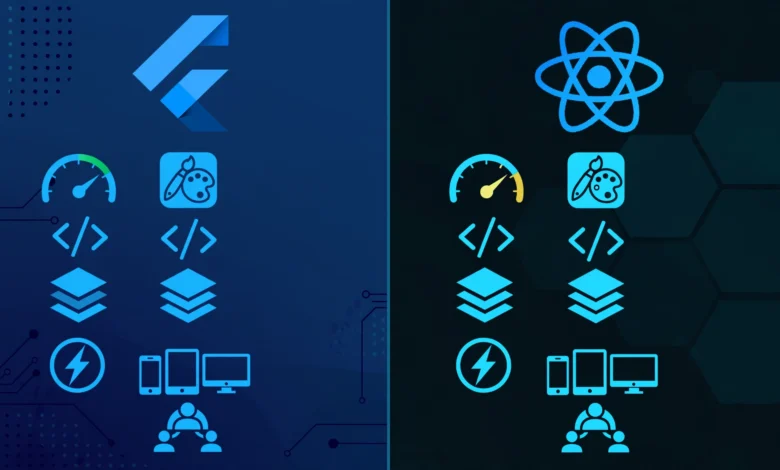
Flutter vs React Native is the question almost every team asks before building a mobile product with one codebase. Both frameworks can ship polished apps to iOS and Android. Both have big communities, real production apps behind them, and loud fans. That is exactly why the decision feels harder than it should.
Most comparison posts stop at speed benchmarks and syntax. Those matter, but they are rarely what sinks a project. Projects fail because the team was hired around the wrong language, because a third-party package was abandoned, or because nobody planned for privacy law until a regulator got involved. Several well-known apps have paid real fines for how they handled user data, and the framework was never the excuse that held up.
This guide compares Flutter and React Native on the things that decide outcomes: architecture, native performance, developer ecosystem, hiring, app development cost, and legal responsibility. It also uses real enforcement cases to show why the choice of mobile app framework does not shield you from compliance duties. By the end you should have a clear method for choosing, not a vague feeling that one tool is “better.”
Flutter vs React Native: The Short Version
If you want the fast answer, here it is. Pick Flutter when you want tight control over how your interface looks and behaves on every device, and your team is happy to learn Dart. Pick React Native when your team already writes JavaScript or TypeScript, you want to share logic with a web app, or you need to hire quickly from a large talent pool.
That said, “it depends” only helps if you know what it depends on. The next sections break it down.
What Is Flutter?
Flutter is an open source UI toolkit created by Google. You write apps in Dart, and Flutter draws every pixel itself instead of asking the phone’s built-in components to do it. It ships its own rendering engine (now called Impeller on most platforms), so a button on Flutter looks the same on a five-year-old Android phone and a new iPhone.
You can read the official documentation on flutter.dev if you want to see current platform support. Beyond mobile, Flutter targets web, Windows, macOS, and Linux from the same codebase, though mobile remains its strongest area.


How Flutter Works
Flutter apps are built from widgets. Almost everything, from a layout to a padding value to a full screen, is a widget. Dart compiles ahead of time to native ARM code for release builds, which is a big reason Flutter apps start fast and animate smoothly. During development, hot reload injects code changes into the running app in about a second, so you can adjust a screen without losing your place.
Where Flutter Fits Best
- Apps with custom branding and heavy animation
- Products that must look identical on every device
- Teams starting fresh without a large JavaScript investment
- Projects that may later extend to desktop or web
What Is React Native?
React Native is an open source framework from Meta. You write in JavaScript or TypeScript using React concepts, and the framework maps your components to real native UI elements on each platform. A React Native button is an actual iOS or Android button, so the app tends to feel like the platform it runs on.
The project documentation lives at reactnative.dev, where you can check the current release and the status of its newer architecture. Many teams also use Expo, a toolchain built around React Native that handles builds, updates, and common device features with less setup.
How React Native Works
Older versions relied on an asynchronous bridge between JavaScript and native code, which was a known bottleneck. The newer architecture replaces that with direct communication through JSI, along with Fabric for rendering and TurboModules for native features. The Hermes JavaScript engine improves startup time and memory use. If you read an old article complaining about the bridge, check the date, because much of it no longer applies to current releases.
Where React Native Fits Best
- Teams with existing React or JavaScript skills
- Products that share business logic with a web app
- Apps that should feel platform-native by default
- Startups that need to hire fast
Flutter vs React Native Performance
Performance is the most argued point in the Flutter vs React Native debate, and it is also the most misunderstood.
Startup Time and Runtime Speed
Flutter compiles to native code and controls its own rendering, so frame rates stay consistent in animation-heavy screens. React Native runs JavaScript through Hermes and, with the new architecture, has closed much of the gap that used to exist. For typical business apps with lists, forms, and network calls, most users will not feel a difference.
Where the Difference Shows Up
- Complex animations: Flutter has an edge because it owns the rendering pipeline.
- Long scrolling lists: both perform well when written properly, and both can be slowed down by careless code.
- Heavy computation: neither is ideal. Push it to native modules or the server.
- App size: Flutter apps usually start a little larger because they bundle the engine.
A Realistic Take
Benchmarks in blog posts are often written by people selling something. A badly built app is slow in either framework. Profile your own prototype on a low-end device before you trust anyone’s chart, including this one.
Language and Learning Curve: Dart vs JavaScript
The language decides how fast your team can start.
Dart for Flutter
Dart is clean, typed, and easy for anyone who has used Java, C#, or Kotlin. It has sound null safety, which catches a whole category of bugs before the app runs. The catch is that Dart is rarely used outside Flutter, so every hire needs to either know it or learn it.
JavaScript and TypeScript for React Native
JavaScript is everywhere. Web developers can move into mobile with less friction, and TypeScript adds the type safety many teams want. The downside is the sprawl. There are many ways to manage state, style components, and structure navigation, so teams need conventions or the codebase turns messy.
Which Is Easier?
For a team with web experience, React Native is faster to pick up. For a team with no strong language habits, Flutter’s more opinionated setup can feel calmer. Neither is hard, and both reward good code review.
UI Components and Design Control
This is where the two frameworks feel most different.
Flutter’s Approach
Because Flutter draws everything itself, you get exact control. Custom designs, unusual layouts, and branded animation are straightforward. The tradeoff is that when iOS or Android changes a system design, Flutter apps do not update automatically. The Flutter team has to reproduce the change, and you may have to update your app.
React Native’s Approach
Because React Native uses real native components, your app picks up platform behavior like scrolling feel, text selection, and accessibility hooks with little effort. Heavily custom designs take more work, and sometimes that work means writing native code.
Quick Guide
- Want pixel-identical design everywhere? Lean Flutter.
- Want the app to feel native by default? Lean React Native.
- Want both? Budget extra design and testing time either way.
Developer Ecosystem and Community
A framework is only as useful as the packages and people around it.
Packages and Libraries
React Native benefits from the huge npm registry, plus years of community modules. Flutter has its own package site, pub.dev, which is well organized and growing fast. In both cases, quality varies. Before you depend on a package, check:
- When it was last updated
- How many open issues it has and whether the maintainers respond
- Whether it supports the current version of the framework
- Who maintains it, and whether it is a single volunteer
Community Size
Developer surveys, such as the Stack Overflow Developer Survey, have shown the two frameworks close to each other in usage, with both well below the biggest general-purpose languages. Check the latest results instead of relying on a number in an article, since the figures shift every year.
Hiring and Team Cost
App development cost is mostly people, not tools. So hiring deserves its own section.
Talent Pool
JavaScript developers are easier to find, and many can pick up React Native quickly. Flutter developers are fewer in some regions but often more focused on mobile. Salaries vary by market, so ask local recruiters and look at current job boards.
Cost Factors to Compare
- Time to first working prototype
- Cost of a senior hire in your city
- Long-term maintenance and upgrade effort
- Native module work when a package is missing
- Testing on real devices
The Hidden Cost
Upgrades. Both frameworks release often, and skipping versions makes later upgrades painful. Set aside time every quarter to update dependencies. It costs less than a rescue project two years later.
Flutter vs React Native for Ethics, Privacy, and Legal Risk
This is the section most comparison posts skip, and it is where real money gets lost. Your cross-platform app development choice does not change your legal duties. Privacy law, consumer protection rules, and app store policies apply the same way whether you write Dart or JavaScript. The following cases involved mobile or app-related data practices, and none of them turned on which framework was used.
Real Enforcement Examples
- Path (2013): The social app was found by the US Federal Trade Commission to have collected address book contacts from users’ devices without proper consent, and to have collected information from children under 13. It settled and agreed to pay $800,000.
- Flo Health (2021): The FTC alleged the period-tracking app shared sensitive health data with outside analytics and advertising companies despite promising to keep it private. The company settled with the agency. This case matters for cross-platform teams because the sharing happened through third-party code inside the app.
- Facebook and Cambridge Analytica (2019): The FTC imposed a $5 billion penalty related to privacy violations, including how user data was made available to a third-party app developer. It became the standard example of how outside apps can misuse platform data.
You can read more about how US regulators handle these cases on the Federal Trade Commission website.
What This Means for Your Framework Choice
These cases share a pattern, and it applies to both frameworks:
- Third-party SDKs are your responsibility. Analytics, ads, and crash tools in your Flutter or React Native app can send user data out. You own what they collect.
- Consent must be real. Collecting contacts, location, or health data without clear permission creates legal exposure.
- Children’s data needs extra care. Rules like COPPA in the US and GDPR provisions in Europe set stricter standards.
- Promises must match behavior. A privacy policy that says one thing while the code does another is what regulators pursue.
A Practical Checklist
- List every SDK and package in your app and what data each one sends
- Ask for only the device permissions you need
- Store sensitive data in the secure keychain or keystore, not in plain storage
- Review packages for maintenance and known security issues before adding them
- Get legal review for health, finance, or children’s products
Package supply chains deserve special attention. React Native apps pull from npm and Flutter apps pull from pub.dev, and both registries have had malicious or abandoned packages reported over the years. Pin versions, review updates, and avoid installing packages you do not need.
Testing, Debugging, and Developer Experience
Day-to-day comfort affects how quickly your team ships.
Flutter Tooling
Flutter’s DevTools offer a widget inspector, performance profiler, and memory view. The testing story is built in, with unit, widget, and integration tests supported out of the box. Error messages are generally clear.
React Native Tooling
React Native works with familiar web tools, plus debugging through Hermes and the platform IDEs. Expo makes early development smoother. Debugging native crashes can still require Xcode or Android Studio knowledge, so at least one person on the team should be comfortable there.
Shared Advice
Test on real devices, especially older ones. Simulators hide performance and permission problems. Automate what you can, and run tests in your build pipeline.
Long-Term Maintenance and Backing
Frameworks last as long as their backers keep investing.
Flutter is backed by Google and used inside several of its own products. React Native is backed by Meta and used across its apps, with major contributions from companies like Microsoft and Expo. Neither is likely to vanish soon, but you should watch release notes and roadmap posts from each project.
A useful habit: before committing, read the last six months of release notes for both. You will see how fast breaking changes arrive and how well each team documents them.
How to Choose: A 7-Step Decision Process
Use this list instead of a gut feeling.
- Audit your team’s skills. Strong JavaScript background points to React Native. A blank slate leaves both open.
- Define your design needs. Highly custom visuals favor Flutter. Platform-native feel favors React Native.
- Check code sharing goals. If you have a React web app, React Native lets you share logic.
- List required device features. Confirm packages exist for camera, Bluetooth, payments, or maps in each framework.
- Build a small prototype in both. One week each on your hardest screen tells you more than any article.
- Review compliance needs. Identify sensitive data, children’s data, and regional rules early.
- Plan for upgrades. Decide who will handle dependency updates and how often.
Real-World Scenarios
Scenario 1: A Startup With a Web Team
A five-person company already has a React web dashboard and wants a companion app. React Native lets the same developers share logic and move fast.
Scenario 2: A Design-Heavy Consumer App
A fitness brand wants animated charts and a distinct look on every screen. Flutter gives the team fine control with fewer platform surprises.
Scenario 3: A Health or Finance App
Here, the framework matters less than the data handling. Either tool works, but the team needs a privacy review, careful SDK selection, and secure storage from day one.
Scenario 4: An Internal Business Tool
For a simple forms-and-lists app used by employees, choose whichever your team already knows. The best framework is the one that gets a reliable tool in people’s hands.
Common Mistakes to Avoid
- Choosing based on a benchmark from a blog without testing your own use case
- Ignoring the language your team already writes well
- Adding third-party SDKs without checking what data they collect
- Delaying privacy and permission design until just before launch
- Skipping dependency updates for a year
- Assuming cross-platform means zero native knowledge is needed
Frequently Asked Questions
Is Flutter faster than React Native?
Flutter often has smoother animation because it controls rendering, but React Native’s newer architecture has narrowed the gap. For most business apps, users will not notice.
Which is better for beginners?
If you know JavaScript, React Native is easier to start with. If you are new to programming, Flutter’s structure and tooling can be friendlier.
Which has better job prospects?
Both have steady demand. JavaScript skills transfer to web work, while Dart skills are mostly tied to Flutter. Check current listings in your region.
Does the framework affect app store approval or privacy compliance?
No. Store rules and privacy laws apply to what your app does, not what it is built with.
Conclusion
Flutter vs React Native is not a contest with one winner, it is a fit question shaped by your team’s language skills, your design needs, your hiring market, and how carefully you handle user data. Flutter offers strong visual control and consistent performance through Dart, while React Native offers a large JavaScript talent pool, native-feeling components, and easy code sharing with web projects. Real enforcement cases involving Path, Flo Health, and Facebook show that legal and ethical duties around privacy, consent, and third-party code sit with the app owner regardless of the framework, so build a prototype in both, review every SDK you add, plan for upgrades, and choose the tool that lets your team ship a trustworthy app.